Custom Moodle App: 7 Advantages Over the Official App
A custom Moodle app with your branding boosts engagement and institutional perception. See the 7 advantages and when the investment pays off.
by Cleverson Gouvêa
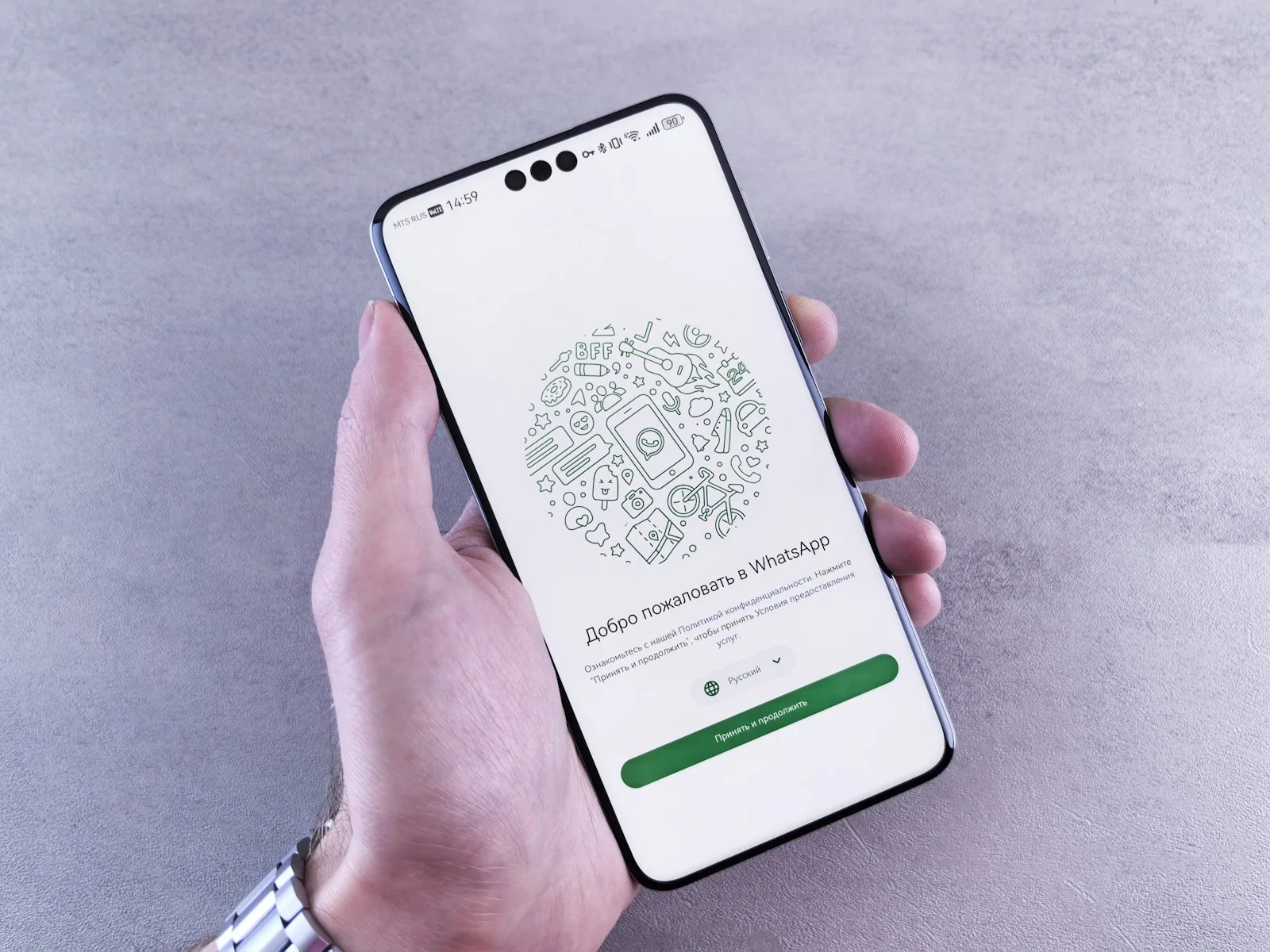
When a school, university, or training company delivers Moodle content through the official Moodle Mobile app, the student experience is generic: an orange Moodle icon on the phone's home screen, colors that aren't the institution's, a login screen featuring the Moodle logo prominently, and push notifications that come from "Moodle" rather than the school's name. It works—but it treats the institution as a tenant in the app. A custom Moodle app reverses this relationship: the institution's brand becomes the protagonist of the student's mobile experience.
Over the past two years, demand for this type of solution has grown rapidly: a custom Moodle app distributed on the official stores (Google Play and App Store) with full visual identity, custom integrations, and specific adjustments. As a CTO specialized in Moodle for over 15 years, I'll break down when this investment pays off and why it has become a competitive differentiator in the education sector.
TL;DR
- The official Moodle Mobile app is free and functional, but generic—your brand appears as content, not as the container.
- A custom Moodle app delivers 7 advantages: full branding, push notifications under the institution's name, custom SSO, specific integrations, store distribution with your brand, control over updates, and custom analytics.
- The ROI tipping point is around 300+ active mobile students—below that, the official app usually suffices.
- Above that, a custom Moodle app generates 30-60% engagement increase and reduces churn among paying students.
What the official Moodle Mobile app delivers
The Moodle Mobile App, maintained by Moodle Pty Ltd, is open source, free, and available on both major stores. It connects to any valid Moodle installation with Web Services enabled and correct tokens configured.
The student downloads the app, enters the institution's Moodle URL, logs in with username and password, and gains access to courses. The experience includes:
- List of enrolled courses
- Navigation through modules and activities
- Assignment submission (text, files, media)
- Access to forums and messages
- Basic offline sync of previously viewed content
- Notifications for deadlines and messages (under the name "Moodle")
It's a good foundation. For a small school with 50 students casually using the system, it works fine. The problem starts when the institution grows, when the course is paid, or when the mobile experience becomes a central part of the value proposition. Because then every generic detail becomes friction, and the custom Moodle app begins to justify the investment.
The 7 real advantages of a custom Moodle app
Advantage 1 — Full branding
The app icon on the student's phone home screen: the institution's logo, not Moodle's orange. Splash screen with visual identity. Primary and secondary colors aligned with the brand manual. Consistent typography with the institutional website. For a school that sells prestige, this is not a detail—it's the entire daily first impression of the brand for the student, something only a custom Moodle app delivers.
Advantage 2 — Push notifications under the institution's name
In the generic Moodle Mobile, the notification appears as "Moodle". In a custom Moodle app, it appears as "University X" or "Course Y". Difference: open rates increase significantly when the student recognizes the sender, and the notification doesn't compete with personal Moodle app notifications from other institutions.
Advantage 3 — Custom SSO and authentication
A custom app can integrate directly with the institution's identity system: SSO via Google Workspace for Education, Microsoft Entra ID (formerly Azure AD), login via CPF + biometrics, integration with the institution's own academic system. The student logs in once, and the app handles token renewal. This flow in the official Moodle Mobile is more limited and requires extra steps that the student perceives as friction.
Advantage 4 — Course-specific integrations
Online exams integrated with webcam proctoring. Tuition payment within the app. Catalog of new courses from the portfolio (not just those already enrolled). Integrated institutional academic calendar. Student support via WhatsApp or embedded chat. Digital student ID with QR code. Each of these integrations is feasible in a custom Moodle app and impossible or cumbersome in the generic app.
Advantage 5 — Store distribution with your brand
The student searches for "University X" on Google Play or App Store and finds your app directly—no need to search for "Moodle Mobile" and then figure out how to configure it with the institution's URL. Reduces installation friction, improves conversion from enrollment to active use, and the store page becomes an institutional marketing tool with real reviews.
Advantage 6 — Control over updates
The official Moodle Mobile updates at the pace of the global Moodle team. A bug affecting your institution may wait months. A feature that would make a difference for your use case may never come. With a custom Moodle app, your team or development partner controls the roadmap: prioritize what matters, fix what breaks quickly, and launch exclusive features when it makes competitive sense.
Advantage 7 — Custom and granular analytics
A custom app can integrate with Google Analytics for Firebase, Mixpanel, or a custom solution—giving the institution granular visibility into student usage: which lesson is abandoned halfway, which notifications generate the most app reopens, which time of day has the most engagement, which module generates the most questions. This data guides pedagogical and commercial decisions. In the official Moodle app, the institution only sees what the native Moodle records—useful, but limited.
When the custom Moodle app pays off
Developing a custom Moodle app has costs: store license (US$ 99/year Apple, US$ 25 one-time Google), development or customization (varies widely by scope), and ongoing maintenance (OS updates, new Moodle versions, UI adjustments).
This investment pays off in three scenarios:
Scenario 1 — High-ticket paid courses
MBA, postgraduate, executive corporate training. The student pays R$ 5-50 thousand for the course. A generic app undermines the premium perception. A custom Moodle app elevates the perceived experience and justifies the price. ROI is direct through retention and referrals.
Scenario 2 — High volume of active mobile students
From 300-500 students actively using mobile (not just enrolled, but opening the app at least weekly), the marginal engagement gain from a custom app (estimated 30-60%) generates additional usage hours that translate into better academic performance, less churn, and more referrals.
Scenario 3 — Competitive differentiation
In a saturated market of online courses where "having your own app" is rare, the institution that offers it becomes a local reference. This scenario is especially strong in technical education, languages, and exam preparation courses.
Below these tipping points, the official Moodle app usually works well. It's not worth investing in a custom Moodle app if the operation is small, free, or where mobile is not the primary channel.
What to expect from the development process
A well-done custom Moodle app is not "rewriting Moodle Mobile from scratch." There are two viable paths:
Path A — Customization of the Moodle Mobile source code
Moodle Mobile is open source (GPL license), written in Ionic + Angular. Your team starts from the official code, applies branding overrides (colors, logos, splash, icons), adds specific integrations, and compiles with the institution's digital signature. Result: an app identical in function to the official one, but fully customized.
Advantage: cheaper and faster. Disadvantage: limited to the extensions the framework allows.
Path B — Native app connected via Moodle Web Services
Development of a native app (React Native, Flutter, Swift+Kotlin) that consumes the Moodle API. Full control over UX. But substantially higher development cost, and full responsibility for maintaining parity with new Moodle features.
Typically chosen by enterprise institutions with very specific requirements.
For 90% of cases, Path A delivers what matters at a fraction of the cost. I've deepened the technical comparison in Moodle Mobile App vs Custom App.
The non-obvious gains
Beyond the direct advantages, institutions that adopted a custom Moodle app have reported relevant secondary gains:
- Administrative team speaks one language. "Use the school's app" is clearer than "download Moodle Mobile, then enter the URL...". Student support calls decrease.
- The store page becomes a marketing asset. Good reviews attract new enrollments. Store SEO references the institution's name.
- Updates become a touchpoint. Each release on the stores is a chance to message the student: "New version with live chat!" engages and keeps the app top of mind.
- Compliance becomes easier. Educational LGPD requires controls that a custom Moodle app can implement directly (cookie banner, consent management, student data export).
The concrete decision
If your institution fits into one of the three scenarios (high ticket, mobile volume, differentiation), it's worth budgeting a pilot for a custom Moodle app. Start with Path A (customization) for predictable cost, validate the engagement increase over one quarter, and decide on the future roadmap with real data.
At Agathas Web, we deliver this project as a complete service: code customization, store account setup, publication on Apple and Google, integration with the institution's SSO, and ongoing support. To understand the full package, also check out the posts on push notifications in the Moodle app and offline mode, and the step-by-step operational guide in Publishing a Moodle app on the stores.
Related posts
Achieving Moodle Accessibility: WCAG 2.2 Without Course Redesign
Your Moodle platform is WCAG 2.2 AA accredited. The real accessibility challenge is in your course content, which can be addressed by prioritizing fixes in 90-day cycles.

Moodle on AWS vs. Managed Hosting: The True Cost
Your EC2 bill is just the starting point, not the total price. Egress, NAT Gateway, and staff time are the real cost drivers — and often overlooked.
Slow Moodle: Real Causes and How to Diagnose
Before upgrading your Moodle server, measure. The most common causes of slowness are configuration issues—and cost nothing to fix.